Design guides
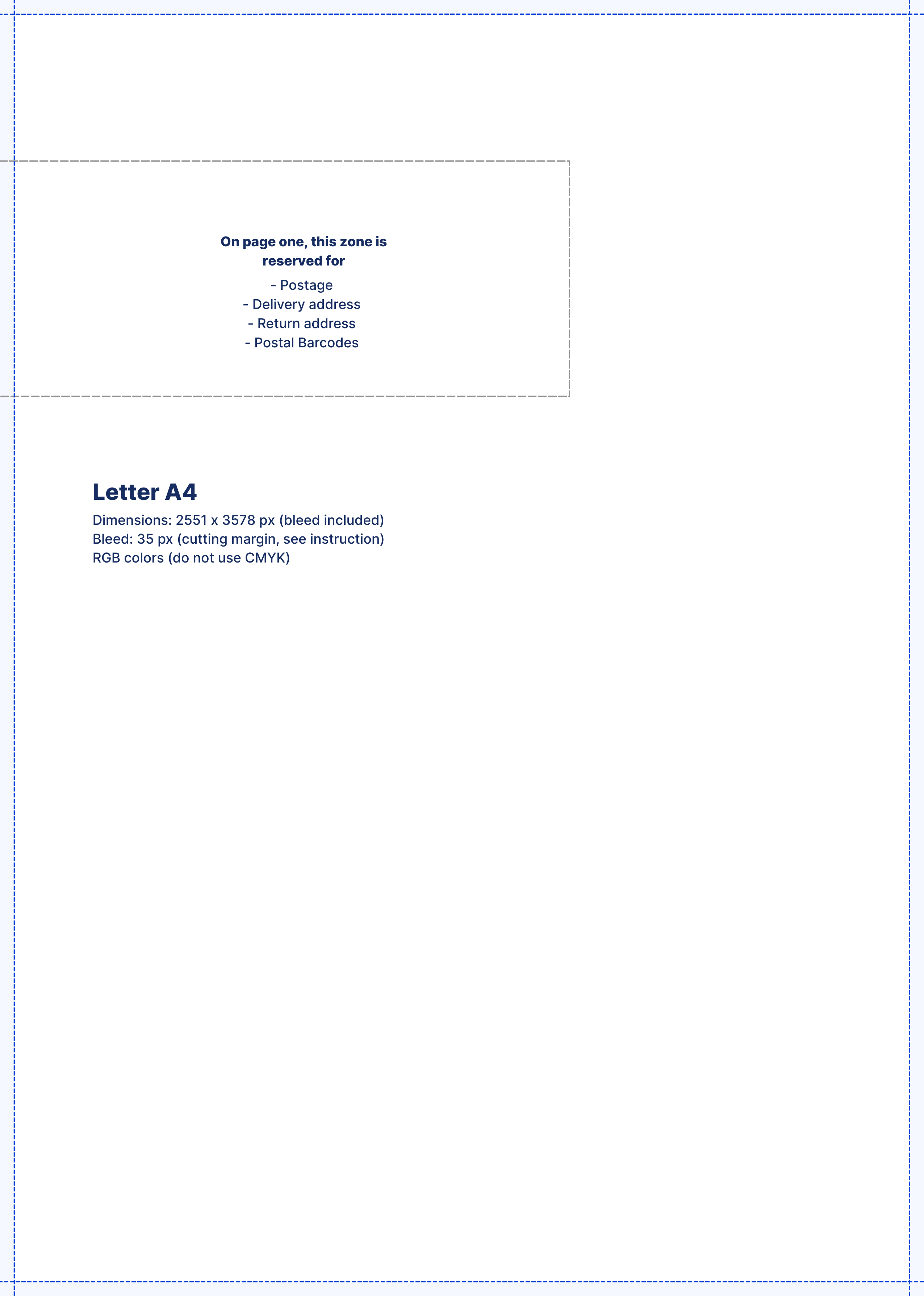
Use the templates below as a basis for your design.
-
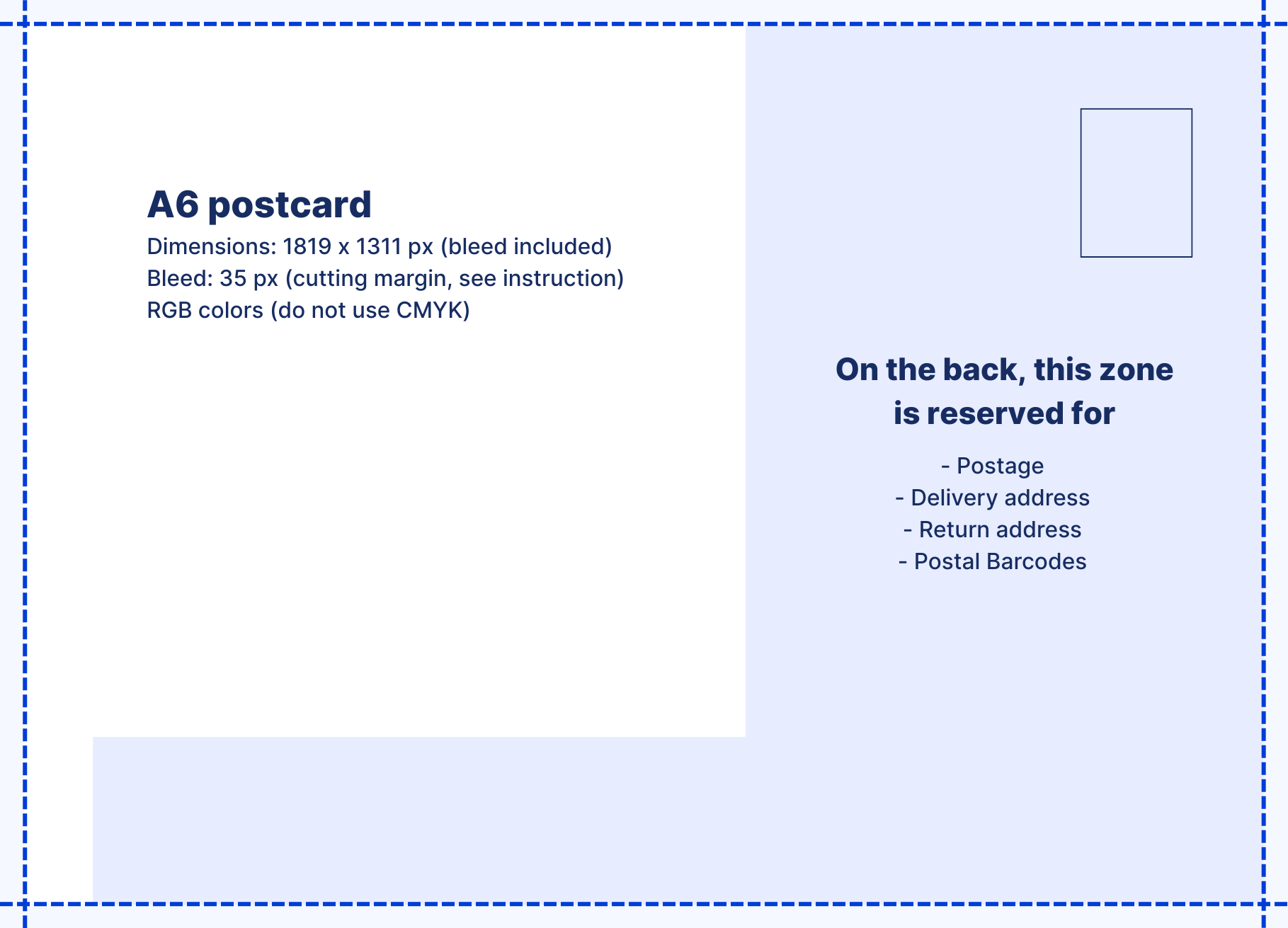
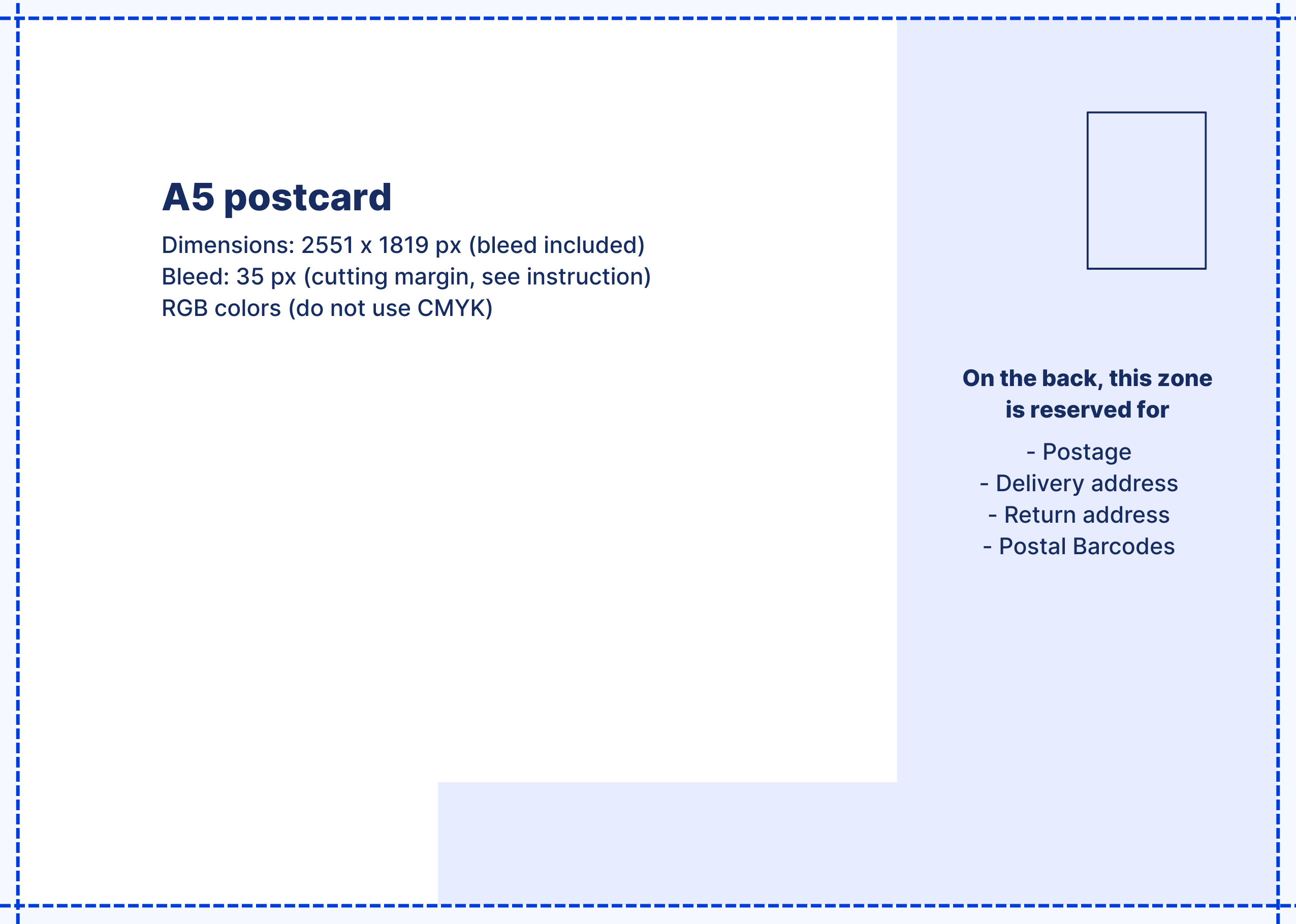
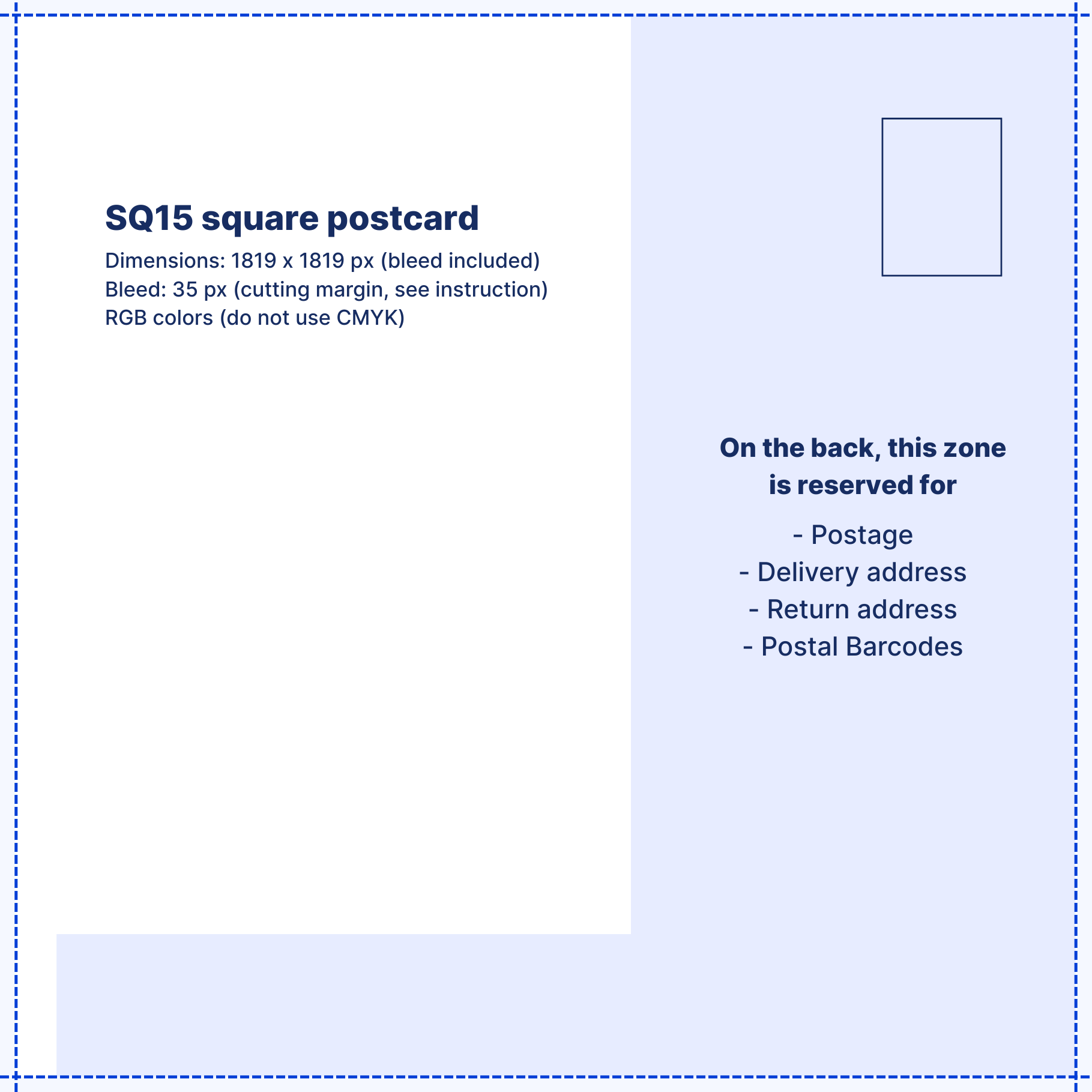
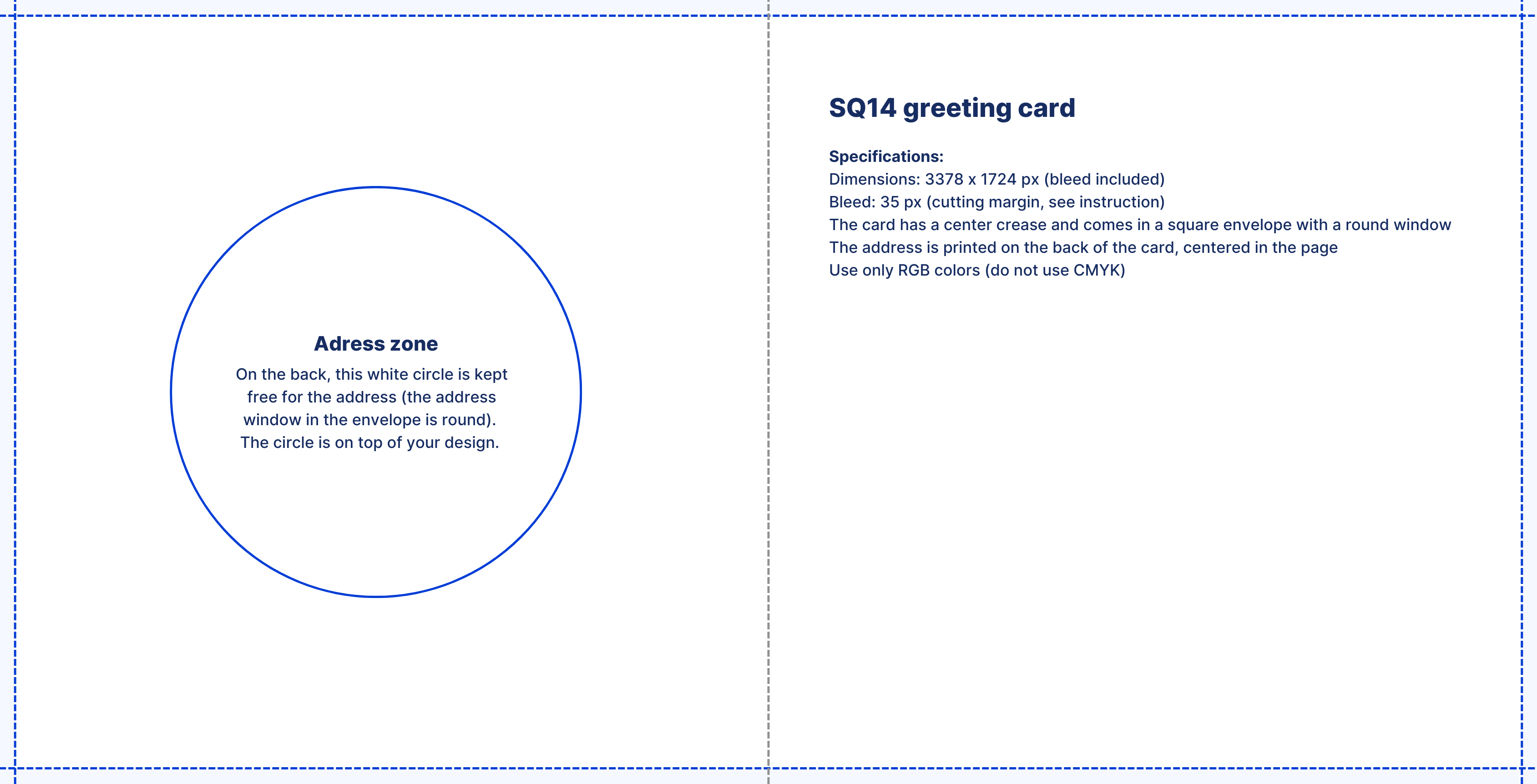
The blue dotted line is the bleed margin. This area will be trimmed away during printing.
-
Don't place important text and objects too close to the blue dotted line . Make sure they stay within the safe zone (green line in our editor) so nothing is accidentally cut off.
-
Do you want an image or color to extend to the edge of your card or letter? Then extend it well beyond the bleed margin, to the outer edge of the bleed.
For the back of the card:
The right-hand section (light blue area) cannot be used. This area is reserved for the address, postal codes, barcodes, and postage.
📥 Download the images by size and use them as an overlay in your design program.
Postcard A6 guide (Download)

Postcard A5 guide (Download)

Postcard SQ15 guide (Download)

Greeting card SQ14 guide (Download)

A4 Letter (Download)